Every image, video and document you use lives in one place. Anything you insert while writing lands there automatically, so a photo used on three pages is stored once — and replaced once.
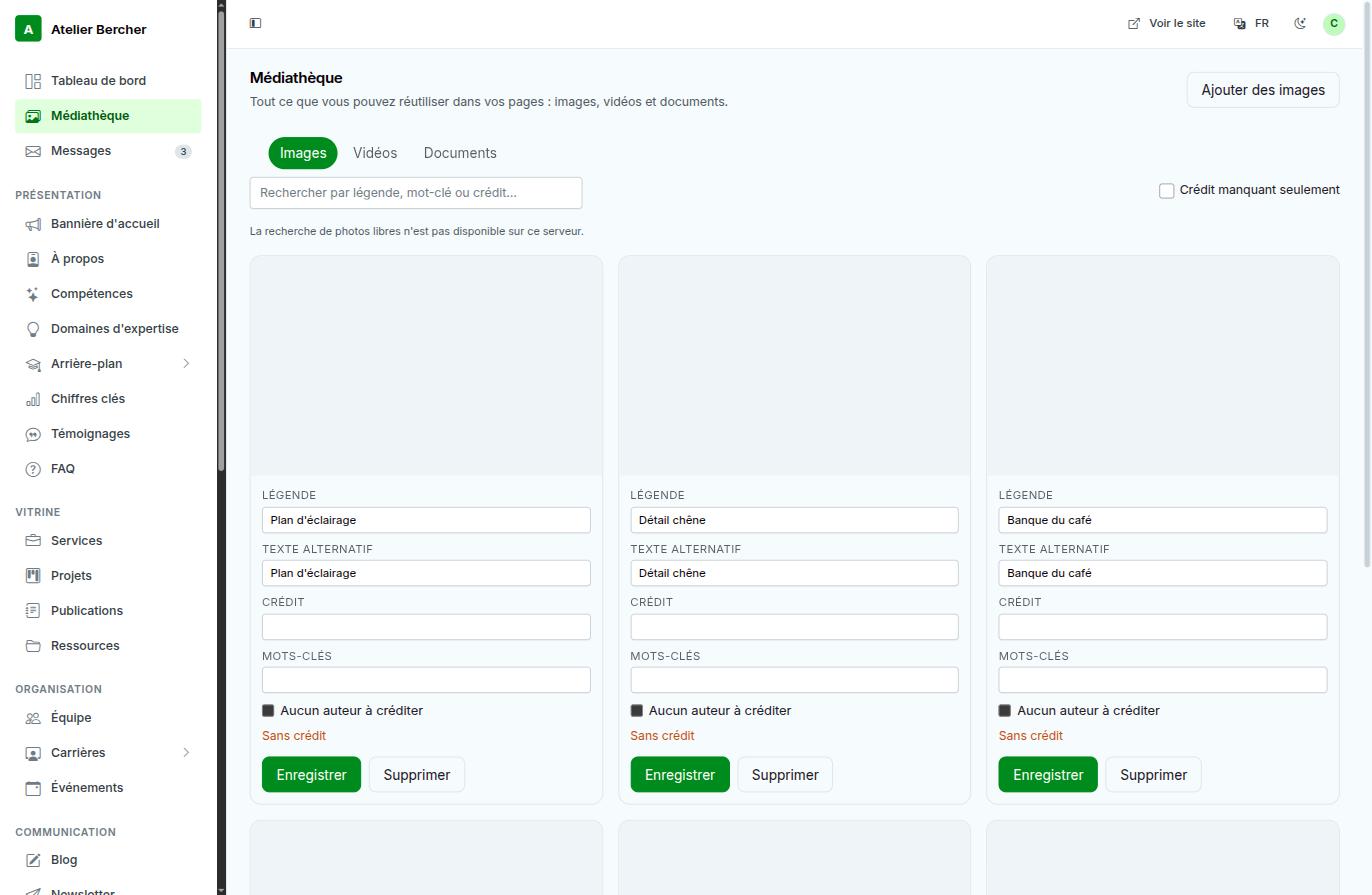
Filling in the fields at upload
- Caption — what the image shows, in plain words. It is what you will search on later.
- Alternative text — describes the image for screen readers and when the image fails to load. Five seconds now against ten minutes of archaeology later, and it is what makes your site usable by someone who cannot see it.
- Credit — the photographer, when there is one. The No author to credit box is there for your own photos; ticking it is a decision, leaving the field empty is an oversight.
- Keywords — for your own searches, not for search engines.
Finding an image again
The search box looks in captions, keywords and credits. The Missing credit only filter shows what you have not sorted out — useful before a site goes public with borrowed photos on it.
Videos and documents
The two other tabs hold the same thing for videos and for files (a price list, a PDF brochure). Both are inserted the same way, from the editor.
Photos of your actual work beat any stock image, even a badly lit one. A visitor recognises a real workshop, and recognises a stock photo just as fast.